Managed Odoo Hosting,
Backups, Monitoring, Git & More
One-click provisioning, automated daily backups, Git-based addon sync, live CPU and memory metrics, a browser terminal, and custom domains with SSL: everything your Odoo deploy needs, built in so you can focus on Odoo instead of the server.
Instant deploys
Under a minute, every region.
GitHub addons
Push to deploy, just like that.
Daily backups
Restore in one click.
Live terminal
Shell, logs, debugging in-browser.
Custom domains
Automatic SSL forever.
Addon marketplace
Discover & install Odoo apps.
Live metrics
CPU, memory, requests, workers.
Package installer
Python deps, one input field.
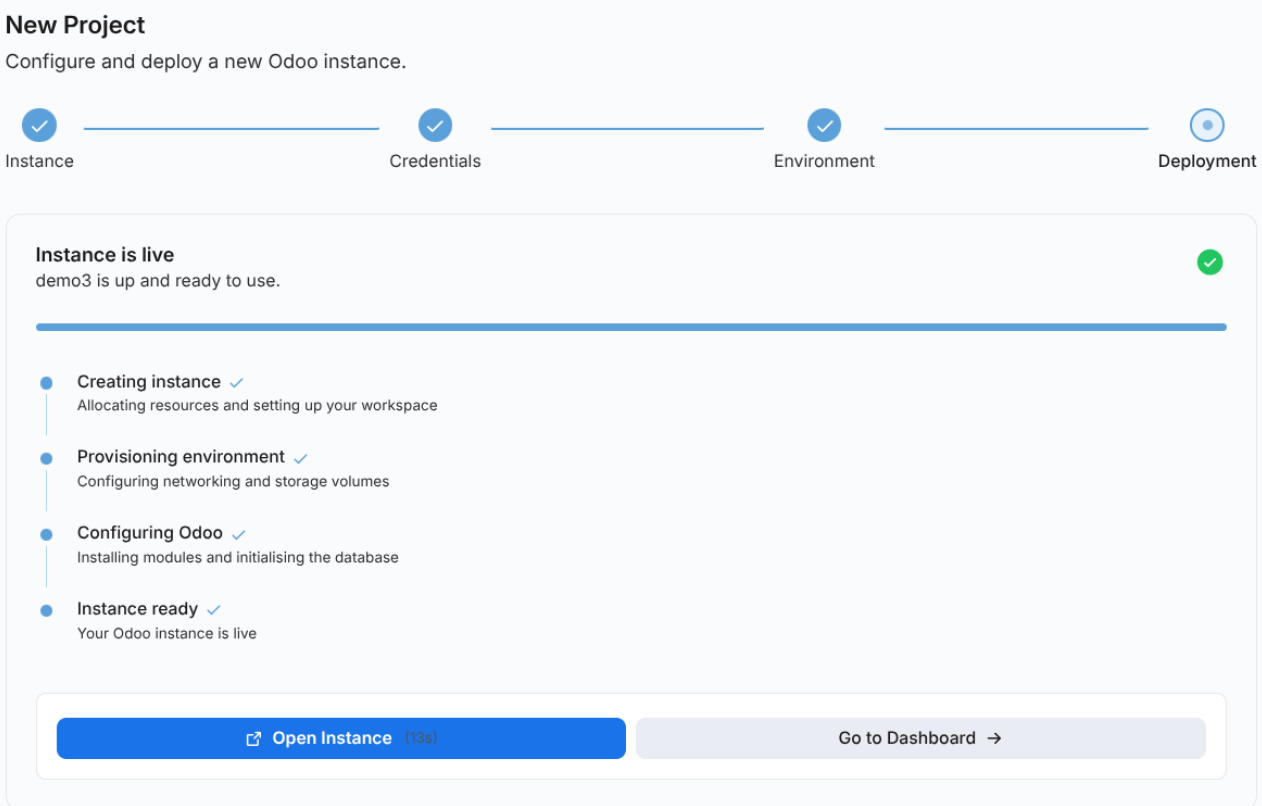
From click to URL in under 60 seconds.
Our provisioning pipeline sets up your chosen Odoo version, any supported release, with everything it needs to run smoothly and securely, all in parallel. By the time you reach for coffee, you've got a working URL.
- Secure by defaultSSL, daily backups, and security patches are switched on automatically the moment your instance goes live.
- Pick your versionChoose any Odoo version from 16 through 19, or master.
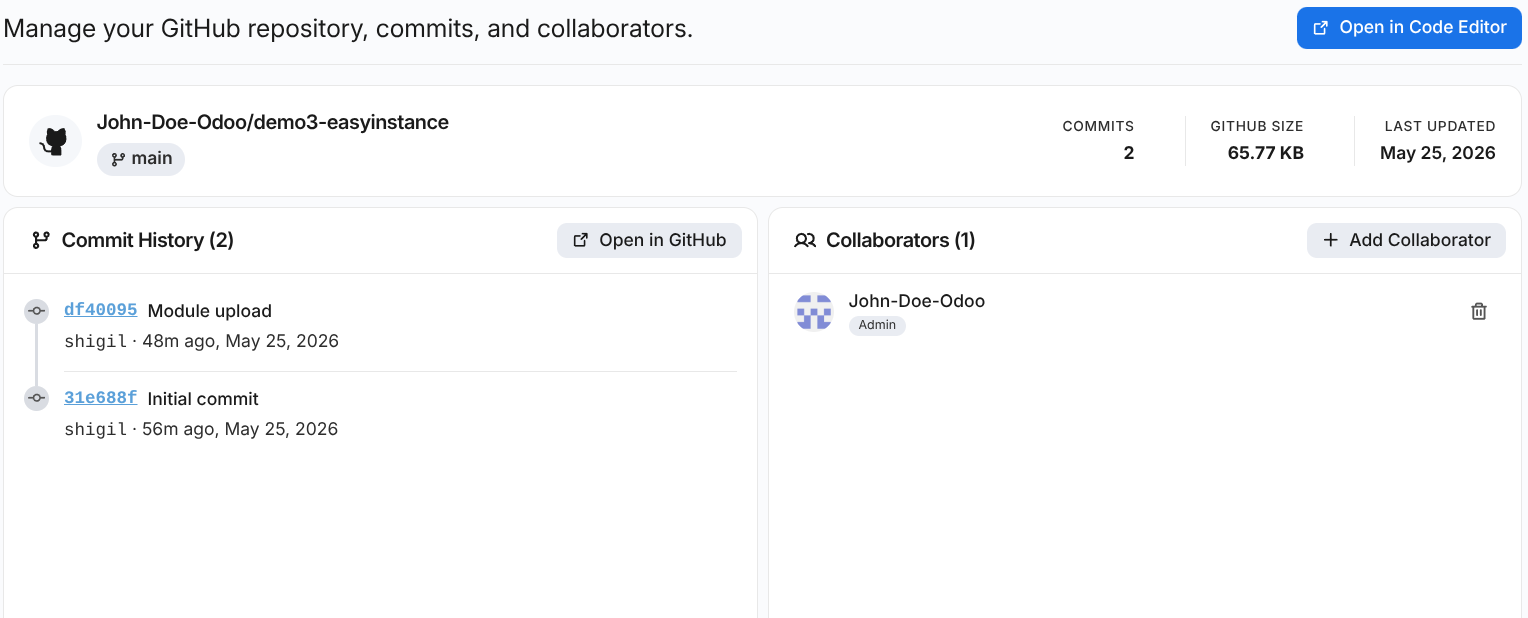
Custom modules via GitHub.
Connect a repo. We pull the modules folder on every push to main and restart Odoo automatically. PRs even get their own preview instance.
- Easy to roll backMade a mistake? Switch back to an older version instantly, with nothing lost.
- Test before you go liveEvery change gets its own private test environment. Check it first, then publish when ready.
- Your code stays privateWe connect securely to your private GitHub. Your code is never stored on our servers.
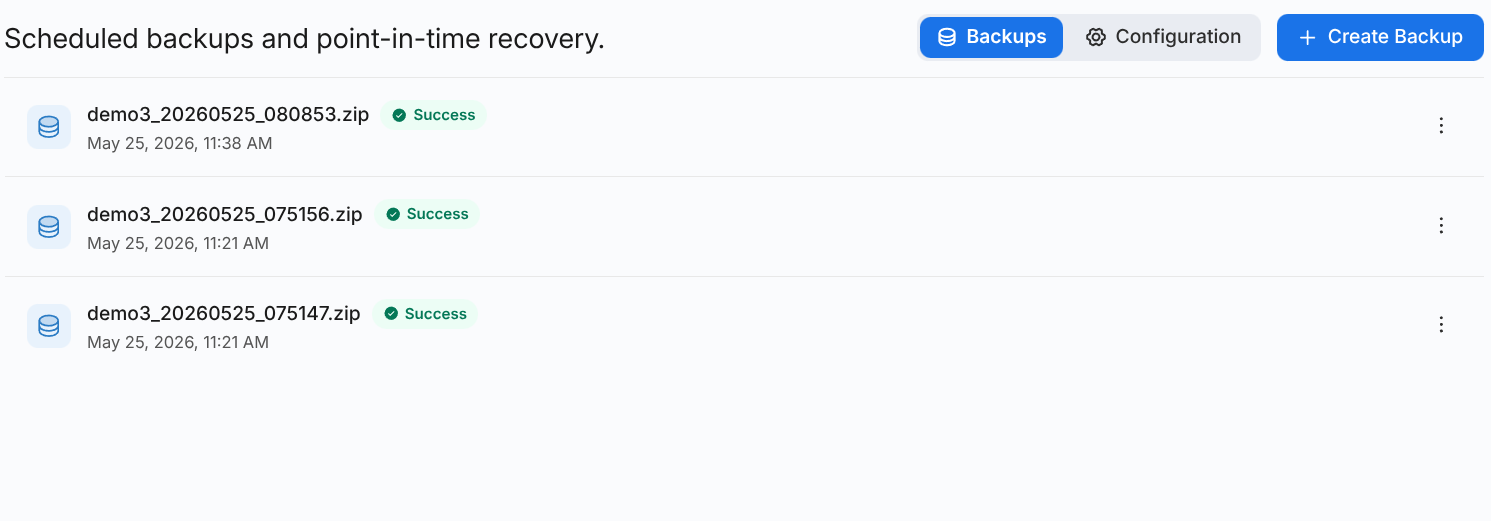
Backups so good, you'll forget them.
Encrypted incremental snapshots on a schedule of your choosing. Restore the full database into a new instance for testing, or right over production.
- Hourly, daily, or weeklyRetention runs up to 90 days on the Scale plan, and you can download any snapshot to keep off-site.
- Point-in-time restoreRewind to within 5 minutes of any moment in the last 7 days.
- Encrypted at restAES-256, per-tenant keys. SOC 2 Type II in progress.
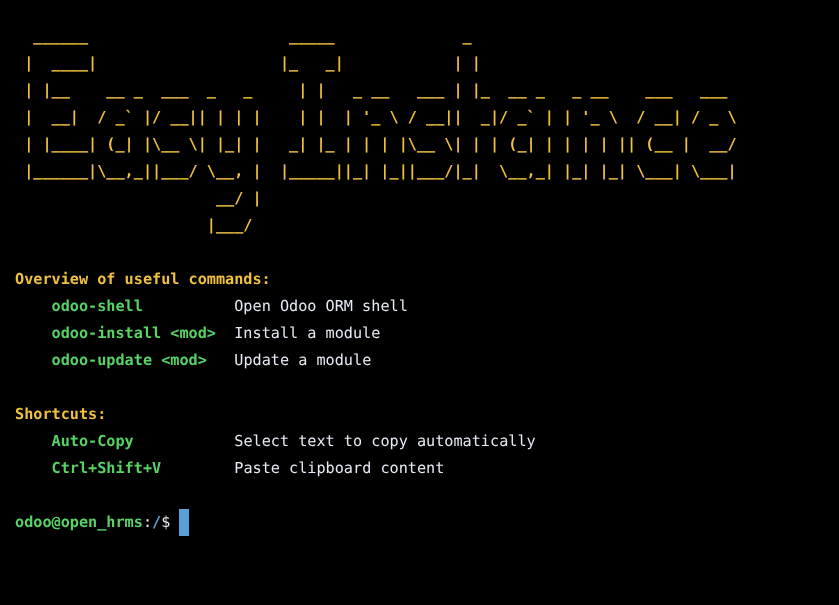
A safe shell into your instance, from the browser.
It's a real PTY scoped to your deployed Odoo, opened straight from the Shell tab with no SSH key dance required. We curate it to the operations Odoo actually needs and audit it end-to-end.
- Real terminal in the browserOpen the Shell tab and you're in: type commands, see output, scroll back. No SSH keys, no setup.
- Curated command setBuilt-in aliases for
odoo-shell,odoo-update, andodoo-install. Destructive commands likerm,kill, and arbitrary shells are blocked automatically. - Per-session audit trailEvery command, session open, idle timeout, and disconnect gets logged against your user, so you can look back whenever you need to.
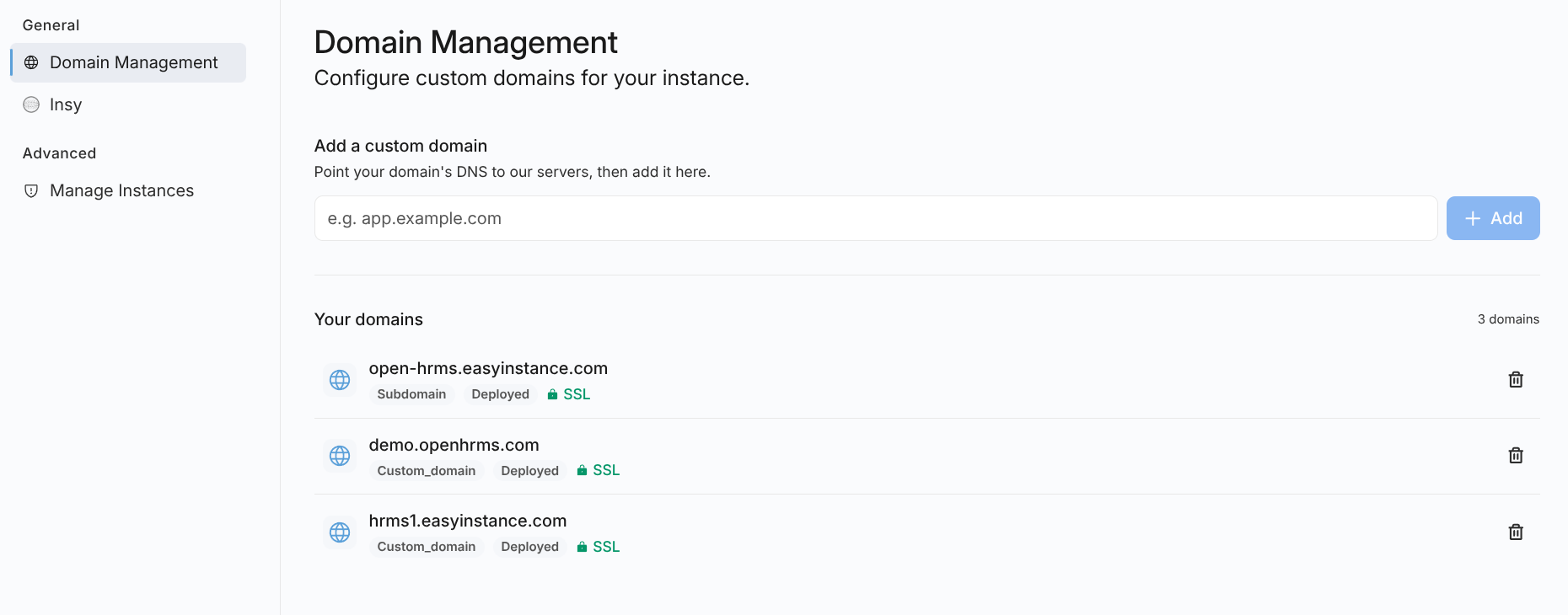
Bring your domain. We handle the rest.
Point your domain at your deployed Odoo instance, add it in the dashboard, and a free SSL certificate is issued automatically. Both root domains and subdomains are supported.
- Auto-renewed SSLCertificates are issued and renewed automatically. Nothing for you to schedule or maintain.
- Multiple domains per instanceBind as many hostnames as you need to a single instance. Each one gets its own certificate and just works.
- HTTP → HTTPS by defaultPlain-HTTP traffic is always redirected to HTTPS, so visitors land on the secure URL automatically.
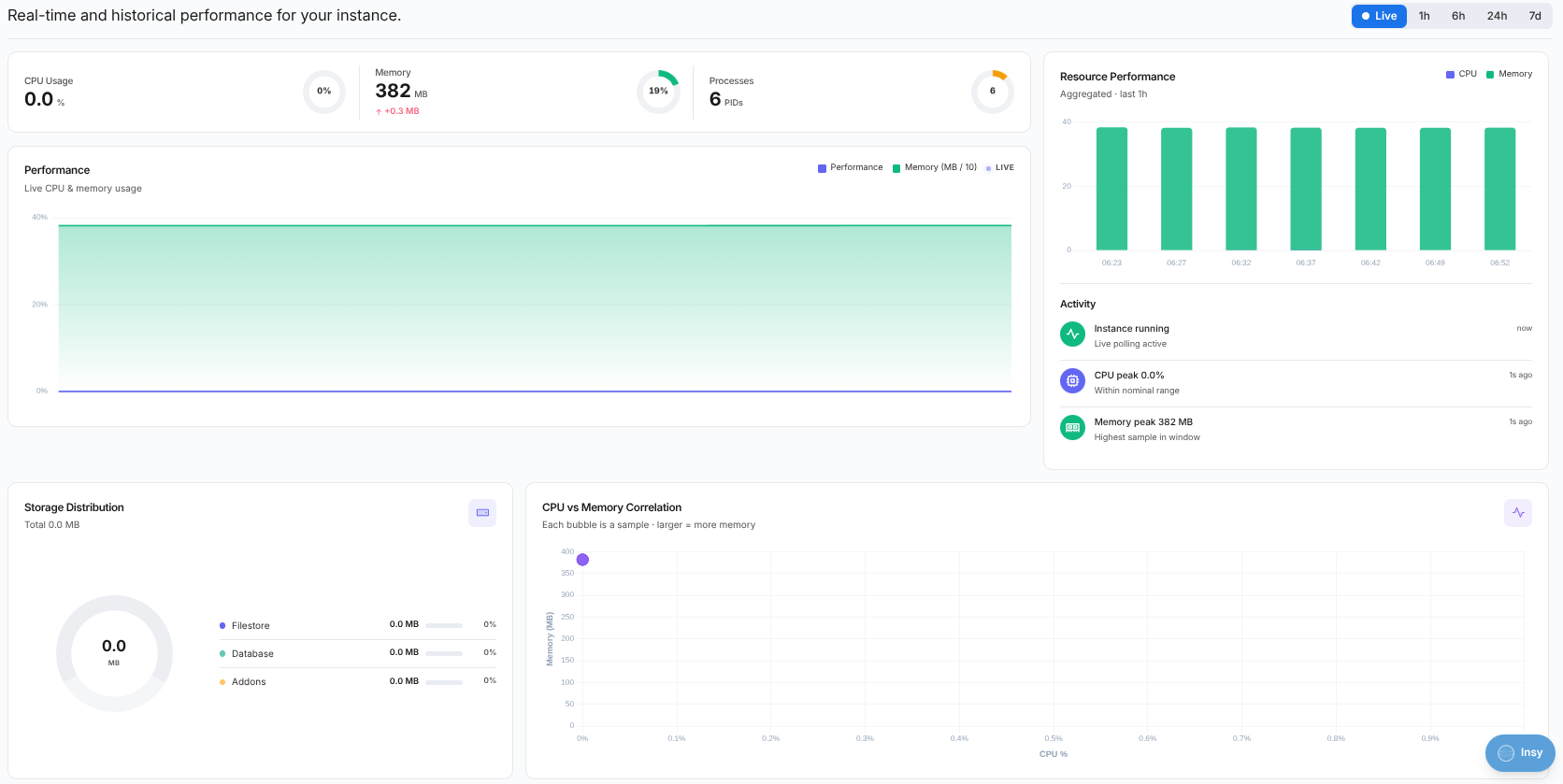
See exactly what your Odoo is doing.
Real-time and historical performance for every deployed Odoo instance, right down to the correlations between CPU, memory, process count, and storage. Open the tab and it's already there.
- Live or historical, same viewFlip between Live, 1h, 6h, 24h, and 7d, and the dashboard re-renders without losing your place.
- CPU, memory & process countsCurrent usage with peak tracking and a CPU-vs-memory correlation chart to surface the workloads that hurt most.
- Storage distribution & activity feedSee where your disk is going and get a timeline of resource peaks and instance events as they happen.
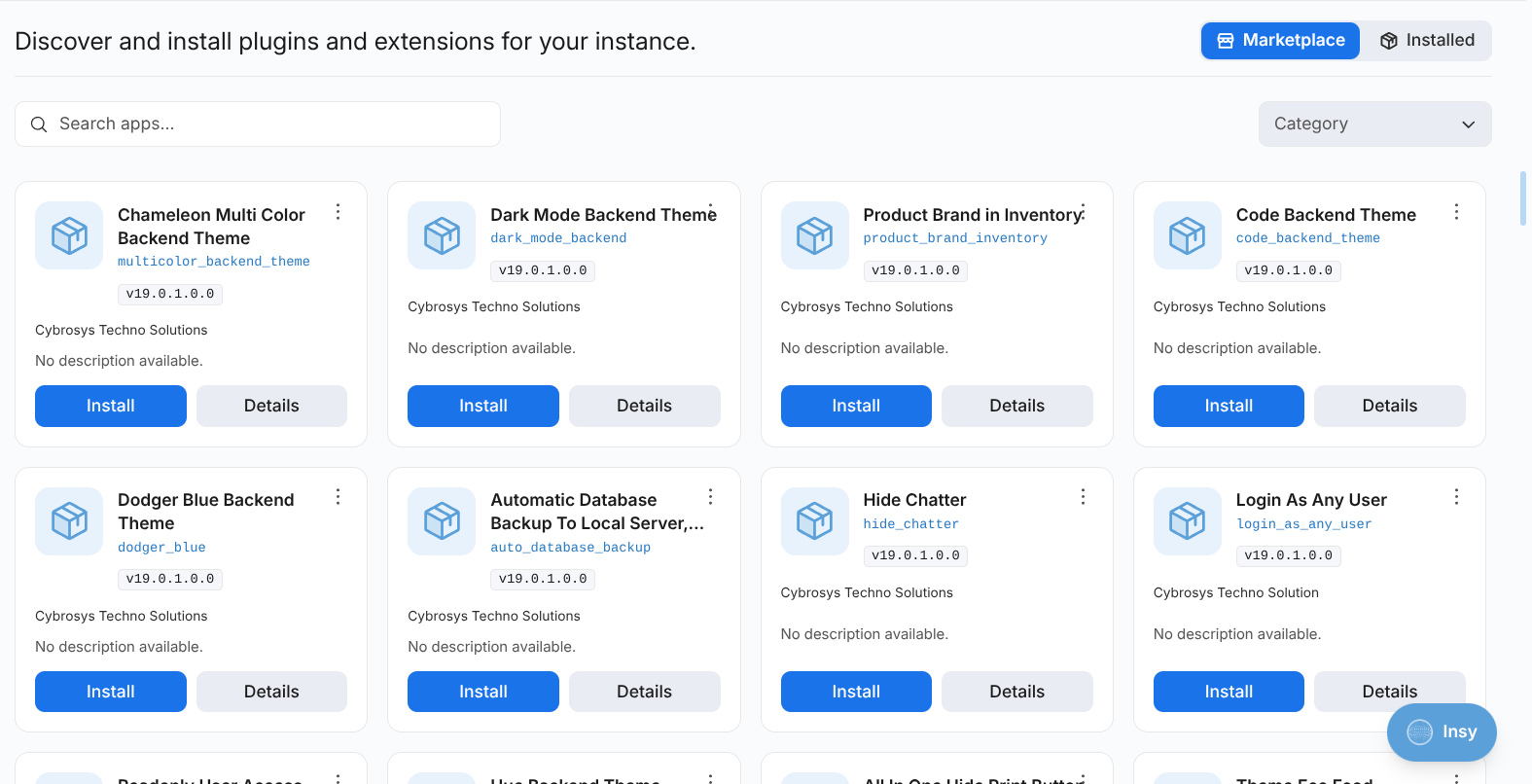
An Odoo app store, baked into your instance.
Browse and install modules from the EasyInstance marketplace without ever leaving your project. Search, filter by category or publisher, and install with a click; dependencies and conflicts get checked up front.
- Search and filter that actually narrowsDebounced search, 14 categories (from Sales and Accounting to POS and Manufacturing), and a publisher filter built from your results.
- Install, upgrade, uninstall: one panelEvery card shows module state (installed, to upgrade, to remove, not active). One click for each action, with a confirmation step that warns on dependency conflicts.
- Multiple sources, one workflowInstall from the marketplace, a Git repo, or a ZIP URL. Each module remembers where it came from for clean uninstalls and upgrades.
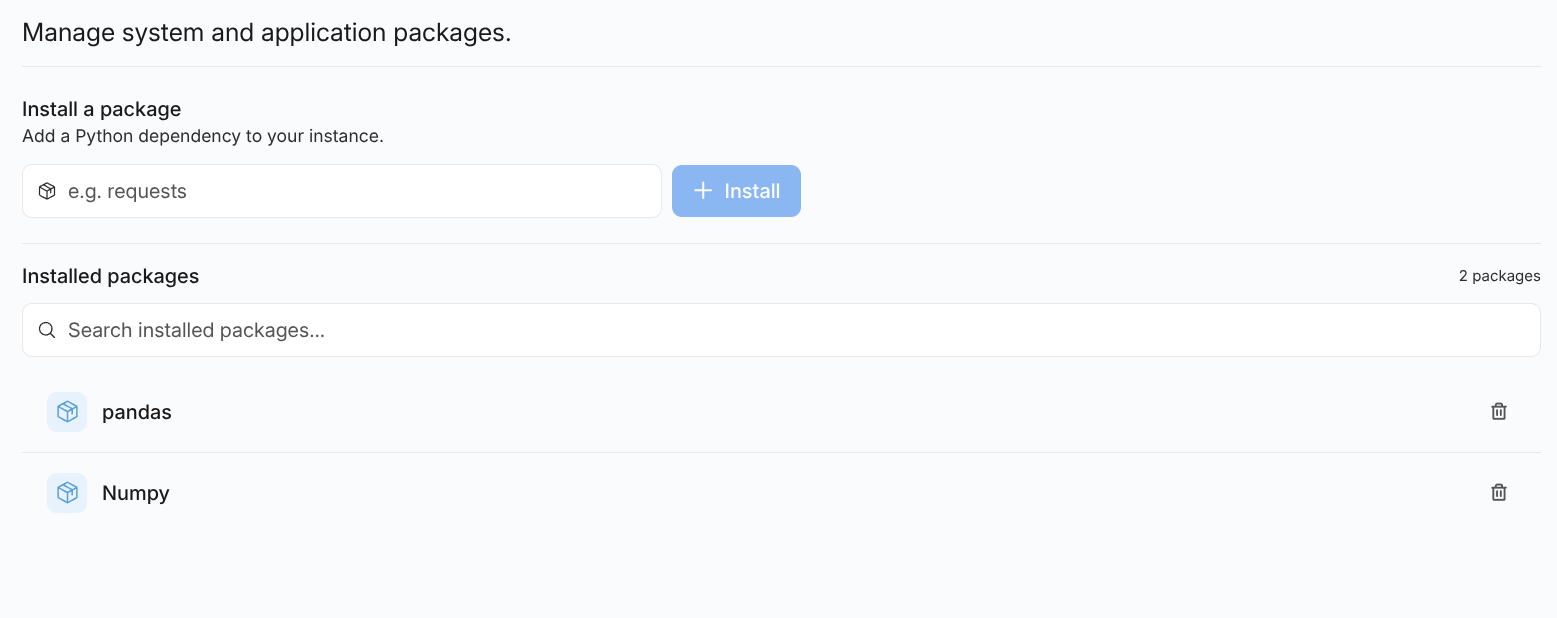
Add a Python dependency without touching pip.
When a module needs requests, openpyxl, or anything else from PyPI, type the name and hit Install. We handle the dependency, the lockfile, and the instance.
- One field, one buttonType a package name like
requestsand install. We stream progress with a toast while the dependency lands. - See and search what you haveEvery installed package shows up in a searchable list, with a count badge and inline uninstall on each row.
- Clean removalUninstall in one click, and the list refreshes in place. No rebuilds, no manual cleanup of
requirements.txt.
Managed Odoo hosting, answered.
Let us manage the infrastructure.
10-day free trial. No credit card. Production-ready on day one.