Most Odoo reports start the same way: someone needs a number, opens a list view, adds three filters, groups by month, exports to a spreadsheet and builds a chart there. Insy, the AI assistant built into every instance hosted on Easy Instance, cuts that down to one sentence. You type "show me unpaid invoices this month" and it reads your Odoo database and answers with a table, a chart or a PDF report. This guide covers what Insy is good at, where its limits are, and what it costs to run.
What Insy does
Insy turns a question in plain language into a query on your own Odoo data and shows the result. You don't need to know which model holds the data or how the fields are named. It works across the apps you have installed: sales, CRM, inventory, accounting, HR and your own custom modules.
An answer can come back as:
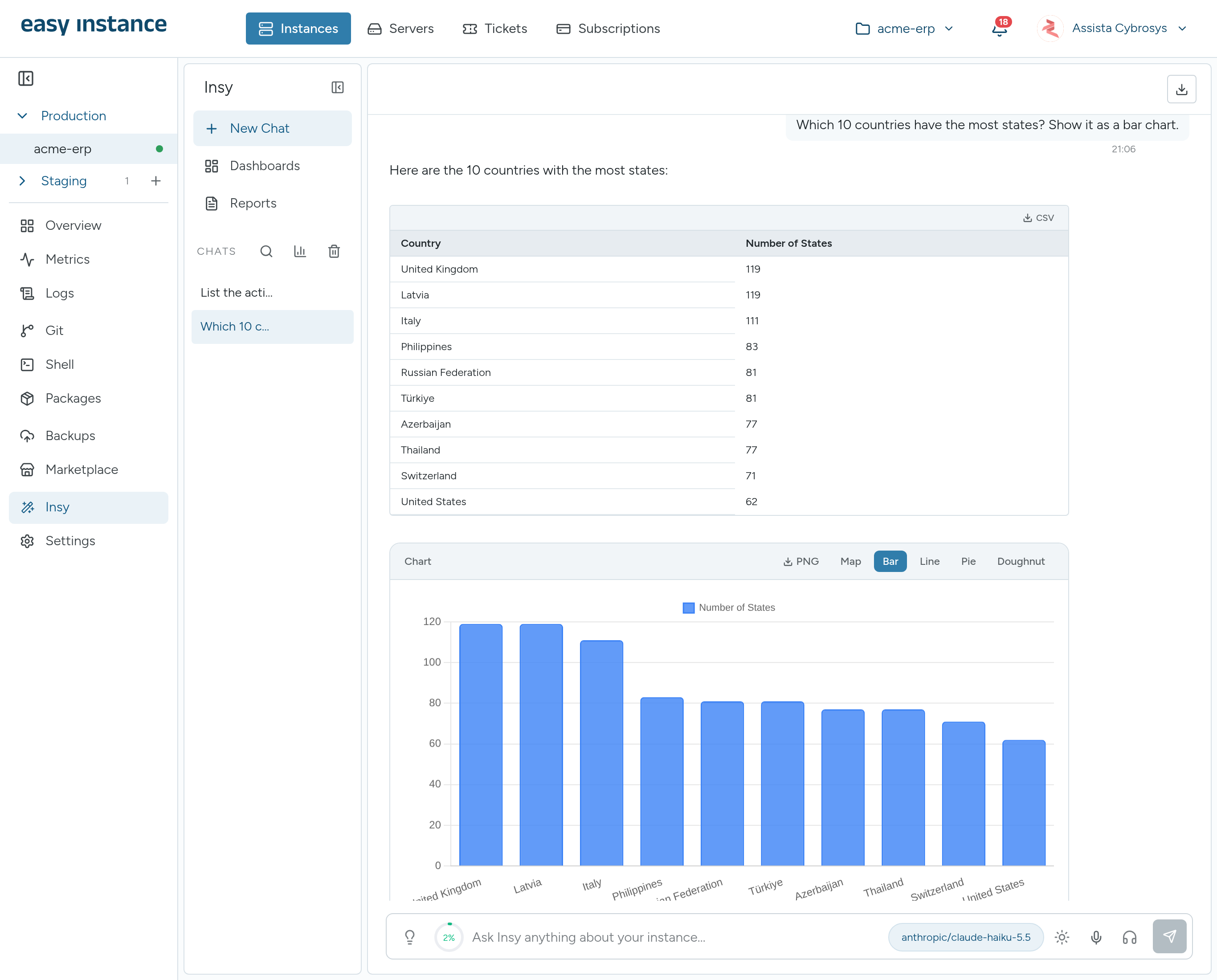
- A table, which you can download as CSV.
- A chart that switches between bar, line, pie and doughnut, with a trend line, moving average or forecast on top.
- A map, a calendar or an activity heatmap, when the data suits one.
- Text you can export as Markdown, plain text or JSON, or send by email from the chat.
Insy keeps the conversation, so you can follow up with "only the ones over 30 days" or "split that by salesperson" without starting again.
Dashboards and reports from a sentence
Two parts of Insy go beyond single answers.
Dashboards
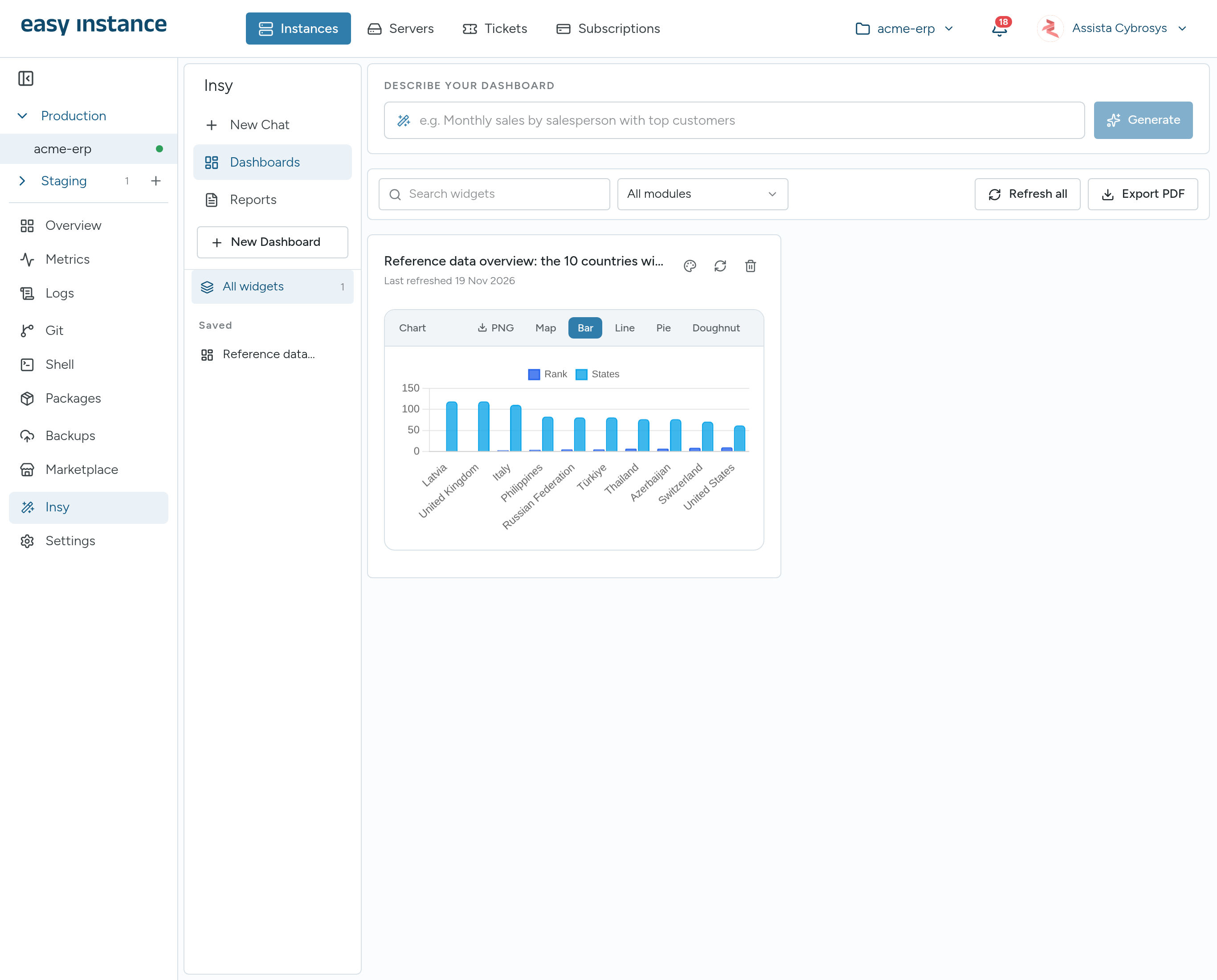
Describe the dashboard you want, for example "monthly revenue, open quotations and top five customers", and Insy builds it from live data. You can pin any chart from the chat onto a dashboard, refresh widgets, reorder them and export the whole dashboard as a PDF for a meeting.
Reports
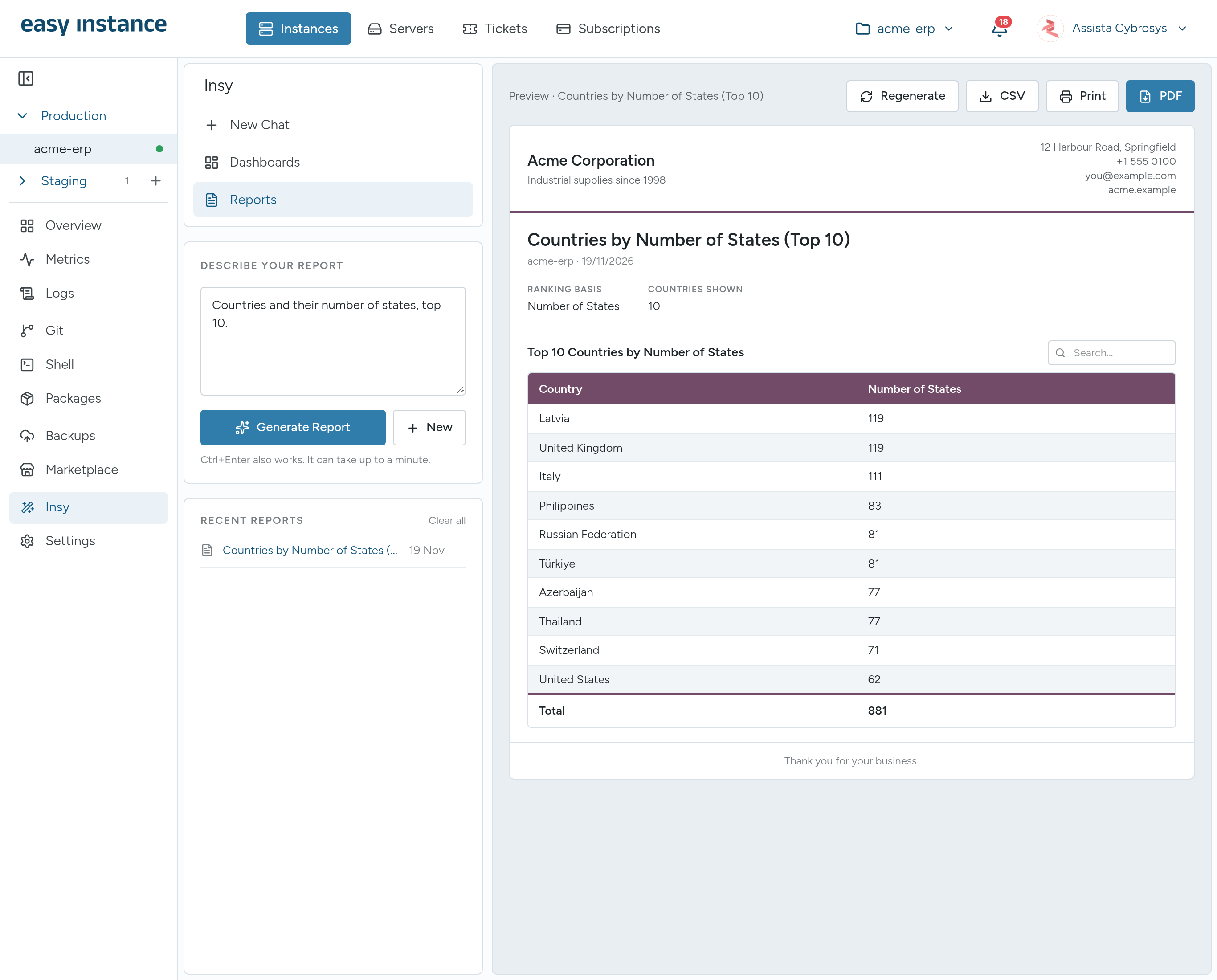
Ask for a report and Insy lays it out as a printable document with a summary and tables, using the letterhead you set once in the instance settings: logo, company name, address, accent color and paper size. You can print it, save it as a PDF or download the data as CSV.
Questions people actually ask
To get a feel for it, these are the kinds of questions Insy's starter cards and templates are built around:
| Team | Example question |
|---|---|
| Finance | Which customer invoices are overdue, and by how much? |
| Sales | How did this quarter's sales compare with last quarter, by salesperson? |
| CRM | What is in the pipeline by stage, and which deals have not moved for two weeks? |
| Inventory | Which products are below their reorder point? |
| HR | What is our headcount by department? |
If you are not sure what you can ask, start with Explore tables, which lists the data in your instance. The Daily Briefing button gives a summary of the business in one click, and you can change the question behind it.
It reads, it never writes
Insy only runs read queries against your database. It cannot create, change or delete a record. That matters for two reasons. First, anyone allowed to use Insy can explore the data freely without the risk of a mistyped question editing an invoice. Second, it keeps the line clear between analysis and operations: changes still go through Odoo's own screens, with its access rights and audit trail.
Insy reads the database directly, so it isn't limited by Odoo's record rules. That is why only the instance owner and Admin collaborators can use it. To answer, Insy sends your question, and the data needed to answer it, to the AI provider you chose, under that provider's terms.
Ask by voice
You can speak a question instead of typing it. Voice input transcribes it first, with a choice of language or automatic detection, and voice output can read replies aloud. There is also a hands-free conversation mode for asking a series of questions in a row.
What it costs
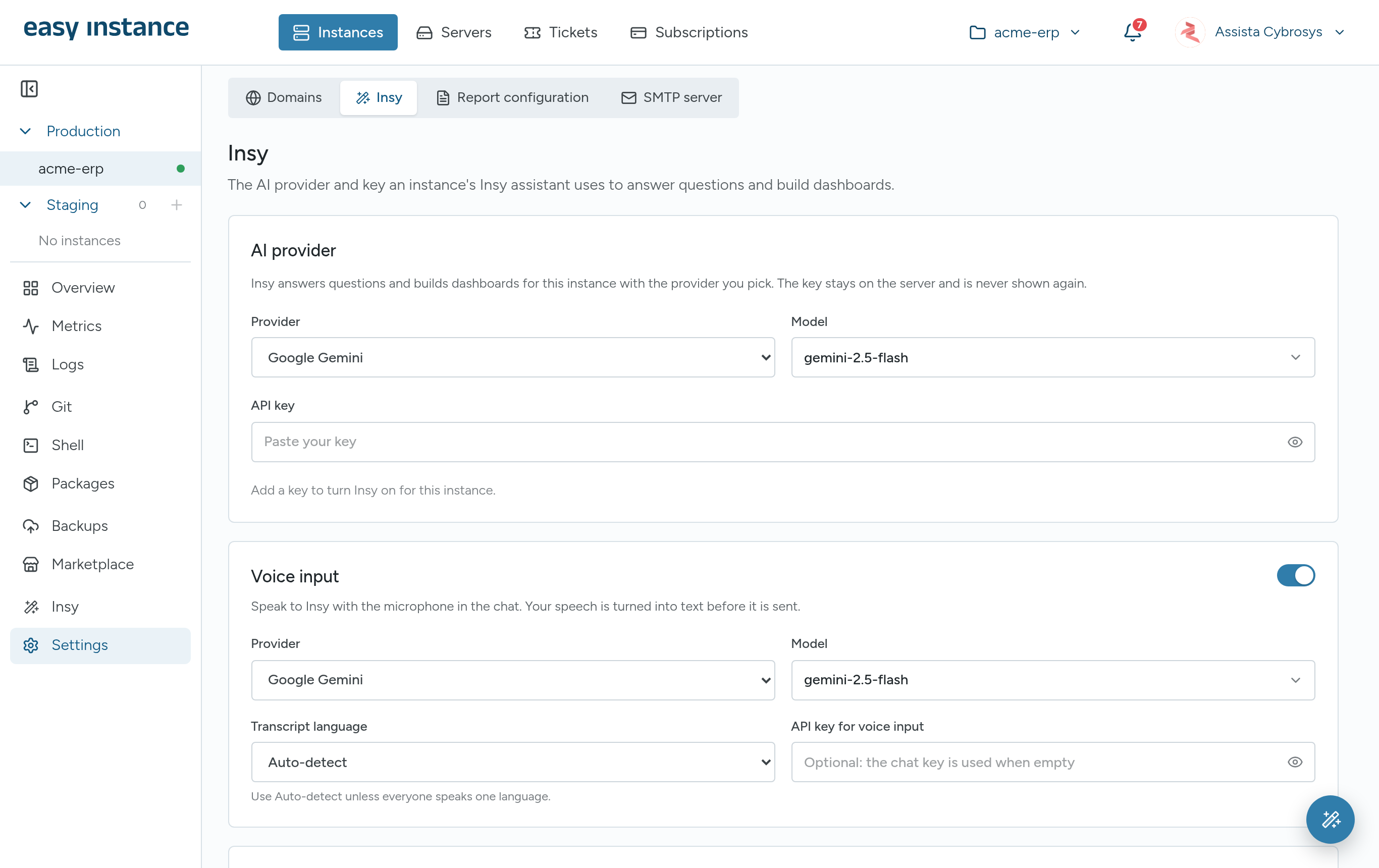
Insy is included with every Easy Instance instance at no extra charge. It runs on an AI provider you choose: Google Gemini, OpenAI or OpenRouter. You add your own API key once, in the instance's settings, and the provider bills you directly for what you use. The key stays on the server and is never shown again.
Because you pick the provider and the model, you control the cost. The default, Gemini 2.5 Flash, is a small, fast model that handles everyday lookups, and you can switch to a larger one in the chat when a question needs more reasoning. A token counter in the chat shows how much you have used, overall and by model.
When Insy is worth turning on
- Managers who need numbers but don't build Odoo reports themselves.
- Teams that keep exporting the same lists to spreadsheets every week.
- Owners who want a quick daily view of sales, cash and stock without a BI tool.
- Anyone checking data quickly before a meeting, from a phone or a laptop.
It is less useful if your team already has dashboards in a separate BI tool and the questions never change.
Get started
- Create an instance on Easy Instance, or open an existing one.
- Get an API key from Google Gemini, OpenAI or OpenRouter.
- Open the instance, go to Settings, then Insy, choose the provider and model, paste the key and save.
- Open the Insy tab and ask your first question.
The Insy documentation covers each setting, the chat, dashboards and reports in detail.
New instances start with a 10-day free trial, with Insy included. Start your free trial, or read more on the Insy page.