These ten Easy Instance features cover the work that comes after launch: shipping your own modules, testing changes, getting data back after a mistake, and finding out why the server is slow. Each one is shown with screenshots from a real instance. For the full list, see the features page.
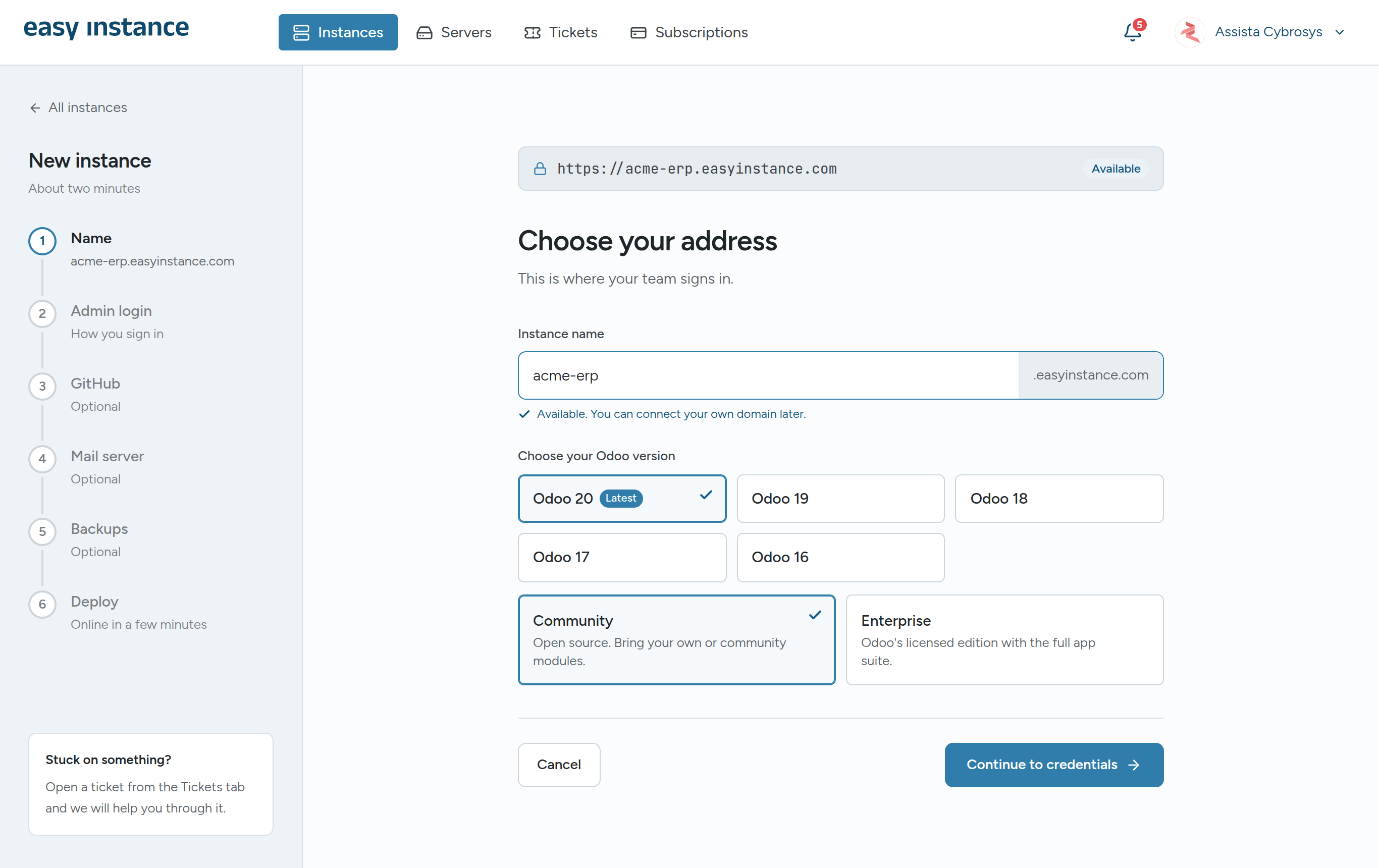
1. Odoo 16 to 20, live in under two minutes
Pick a name, an Odoo version from 16 to 20 and the Community or Enterprise edition, set an admin password, and deploy. The instance comes up with its own address and SSL in under two minutes, with daily backups already switched on. GitHub, outgoing mail and extra backup storage are optional steps you can skip and set up later.
2. Deploy custom modules from GitHub
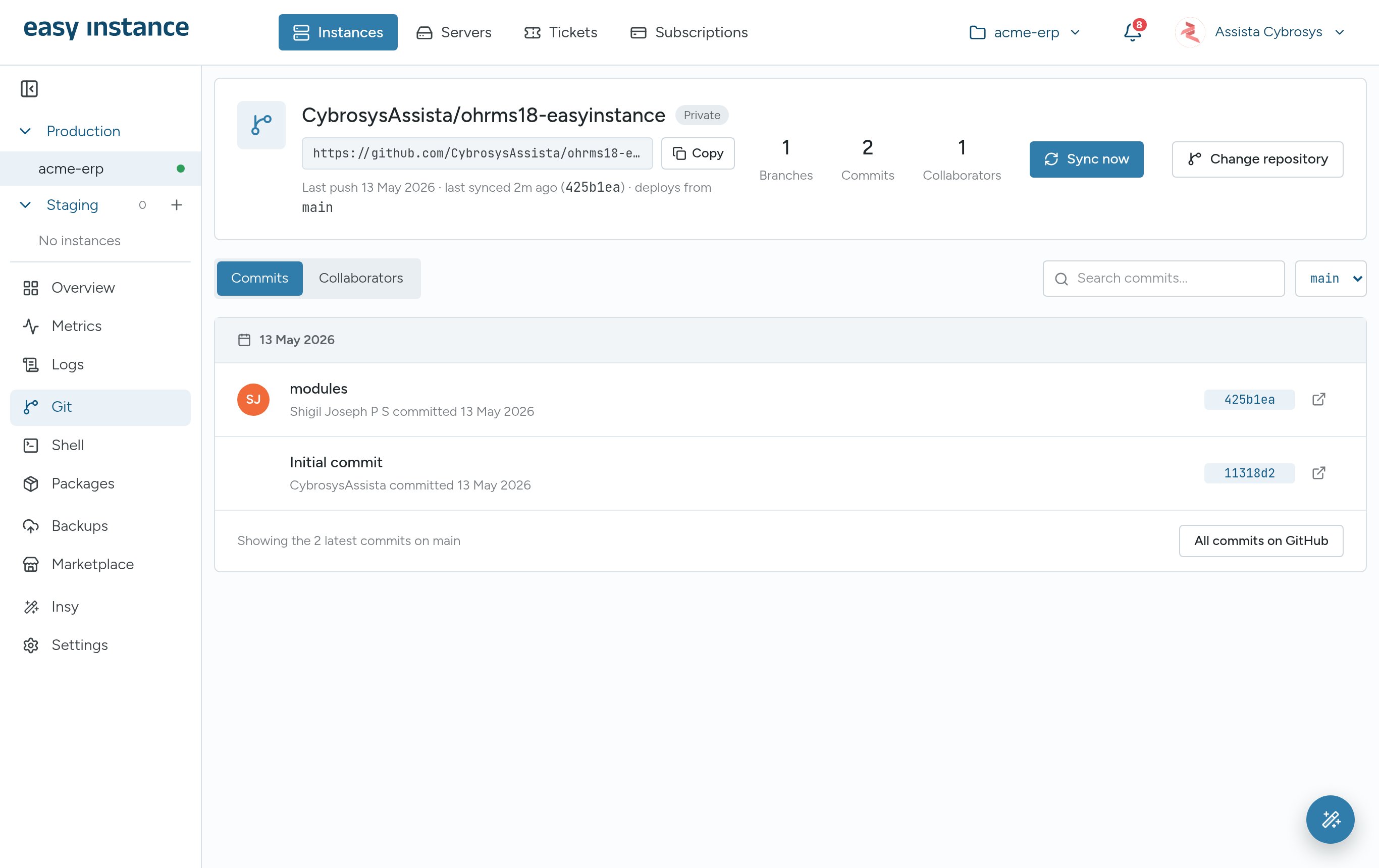
Link a GitHub repository and pick a branch. Every push to that branch syncs to the instance and registers your modules in Odoo's Apps, so a merge is a deploy. You can sync by hand, switch the branch the instance tracks, and see recent commits next to the instance. Teammates can be added as Admin, Developer or Viewer, which gives them access on GitHub and in the dashboard at the same time.
3. Staging copies with real data
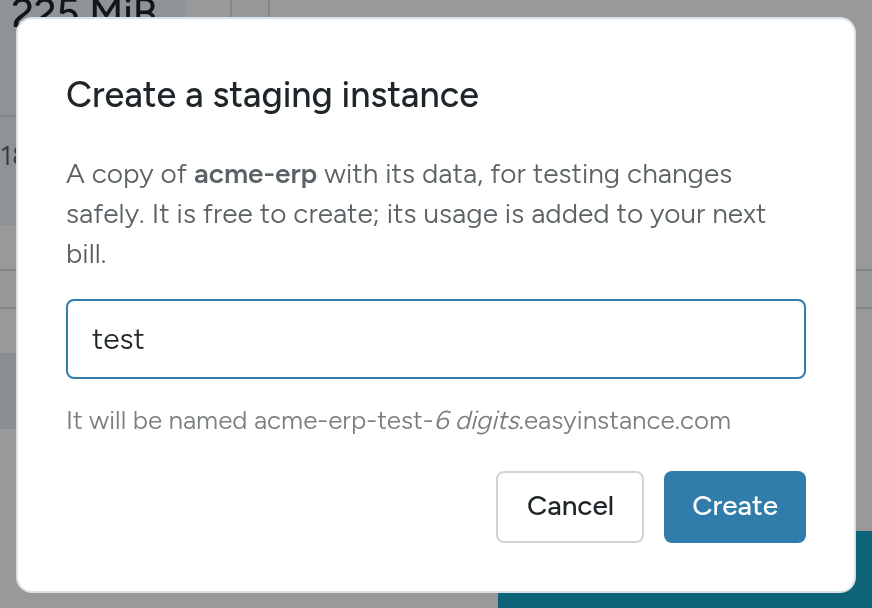
Create a staging copy of a production instance, data included, in one step. Use it to try a module, test an upgrade or check a branch before it touches the live system. With an active subscription a staging copy is free to create, and its usage goes on your next bill.
4. Backups that leave the building
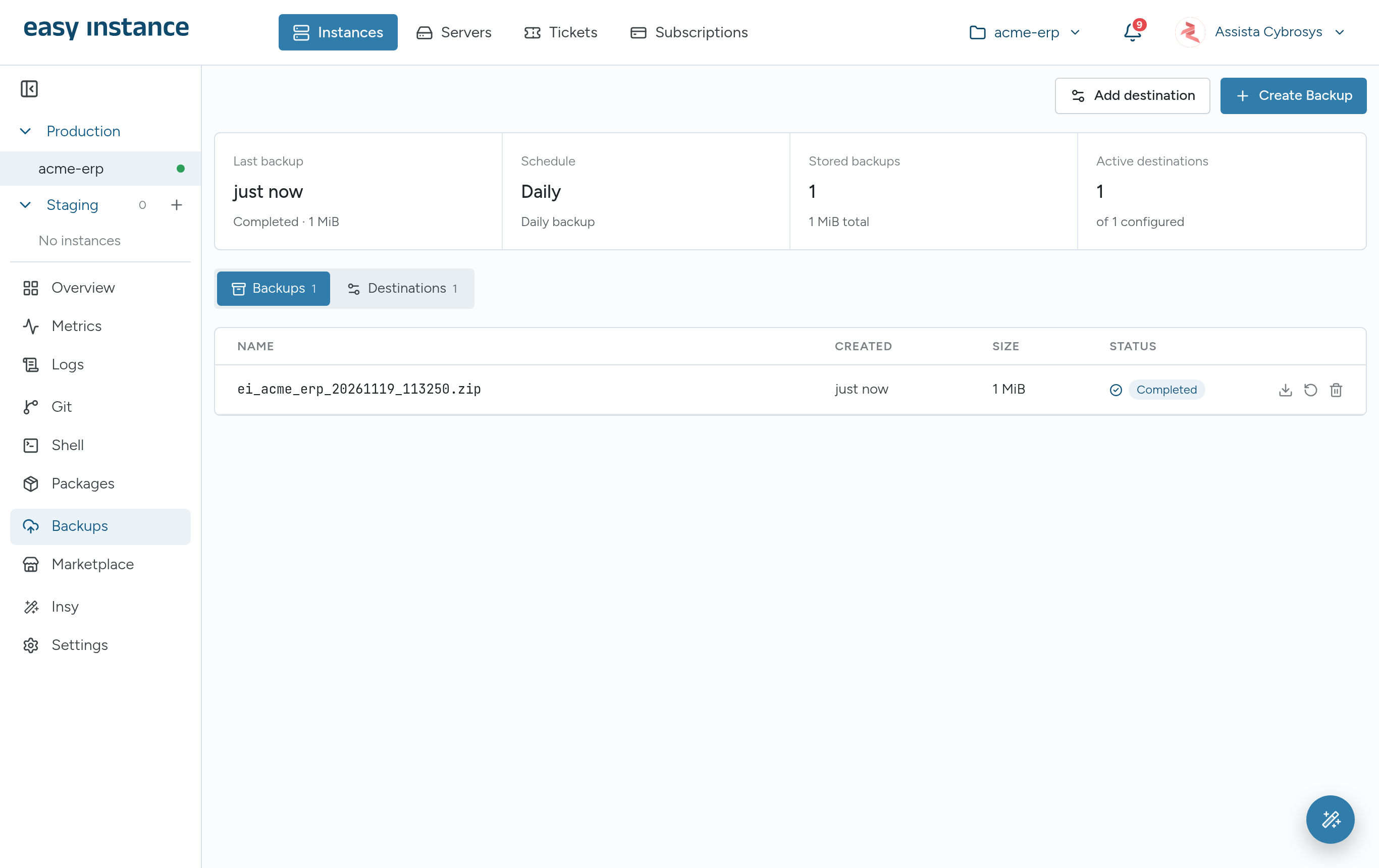
Every instance gets an automatic daily backup on Easy Instance storage. On top of that you can send copies to storage you own: Amazon S3 or any S3-compatible service, Google Drive, Dropbox, Nextcloud, SFTP or FTP. Choose daily, weekly or monthly, how many days to keep, and whether to include attachments. Any backup can be downloaded as a zip or restored in a click.
5. A module marketplace inside the dashboard
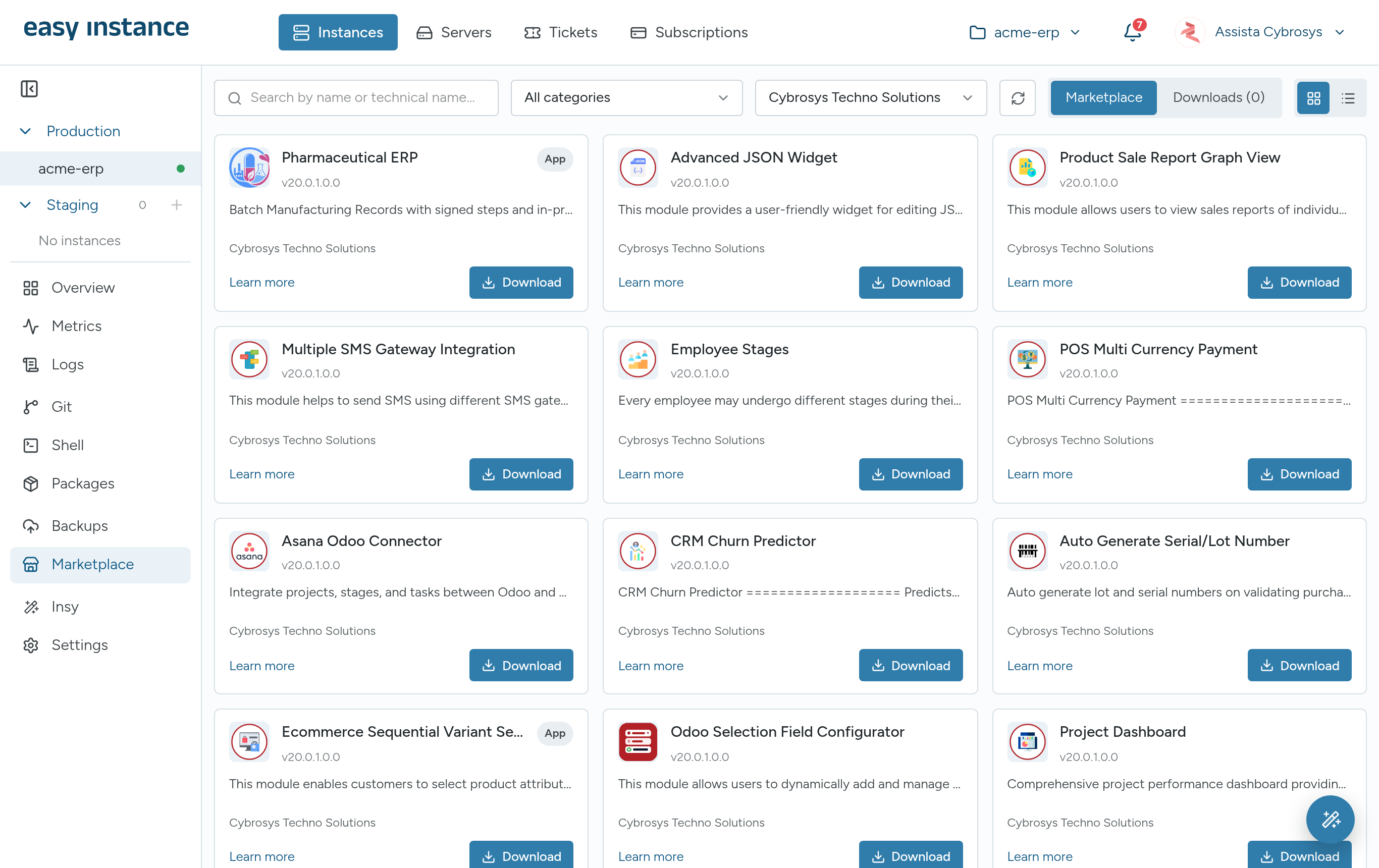
Search modules from Cybrosys and the Odoo Community Association (OCA) by name or technical name, filter by category, and download one together with the modules it depends on. Then install, upgrade or uninstall it from the same screen, without touching the server.
6. Python packages without SSH
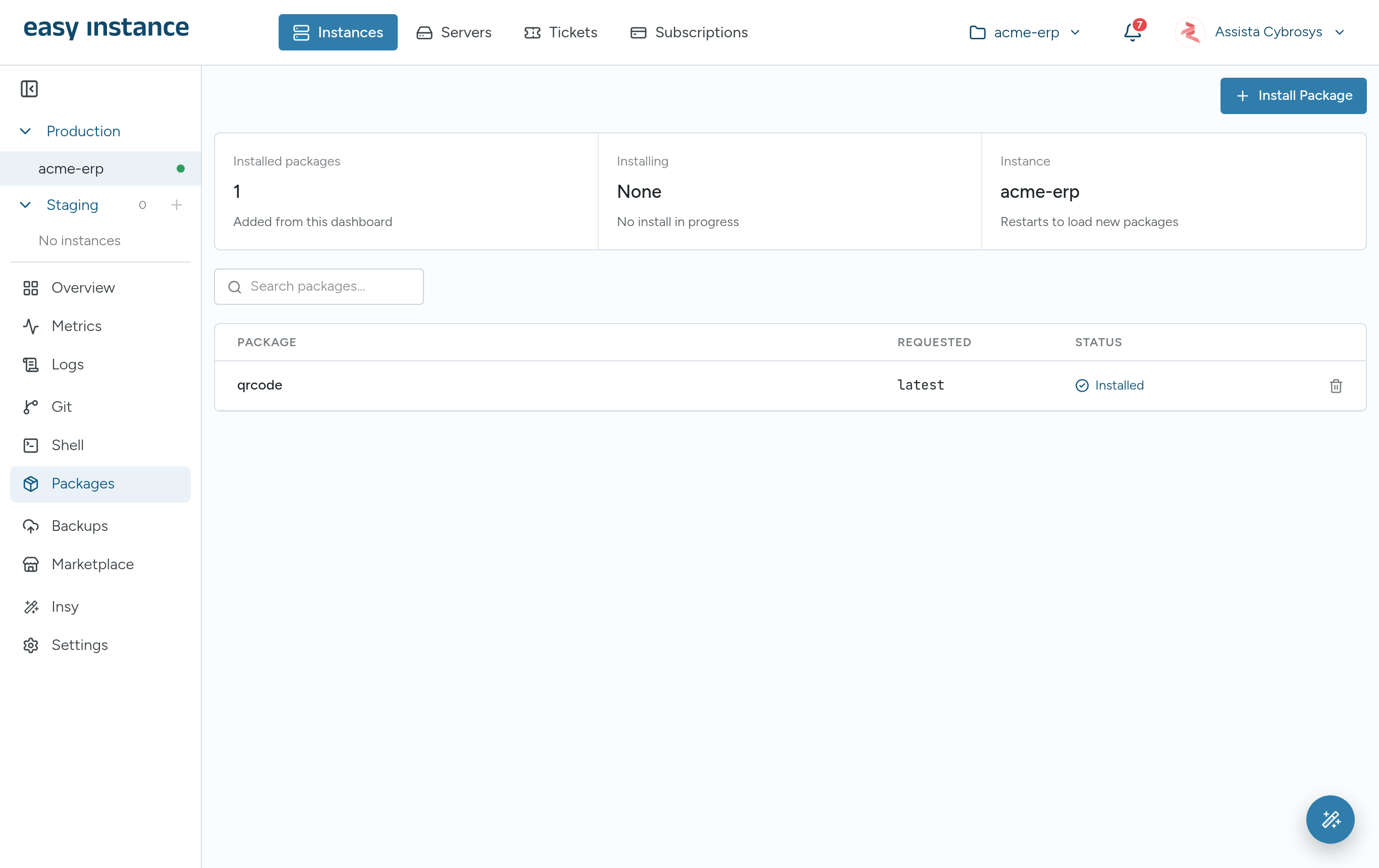
When a module fails with "external dependency is not met", open the Packages tab, type the package name, pick the latest or an exact version, and install. The instance restarts to load it, and the package stays installed across restarts.
7. A browser shell built for Odoo
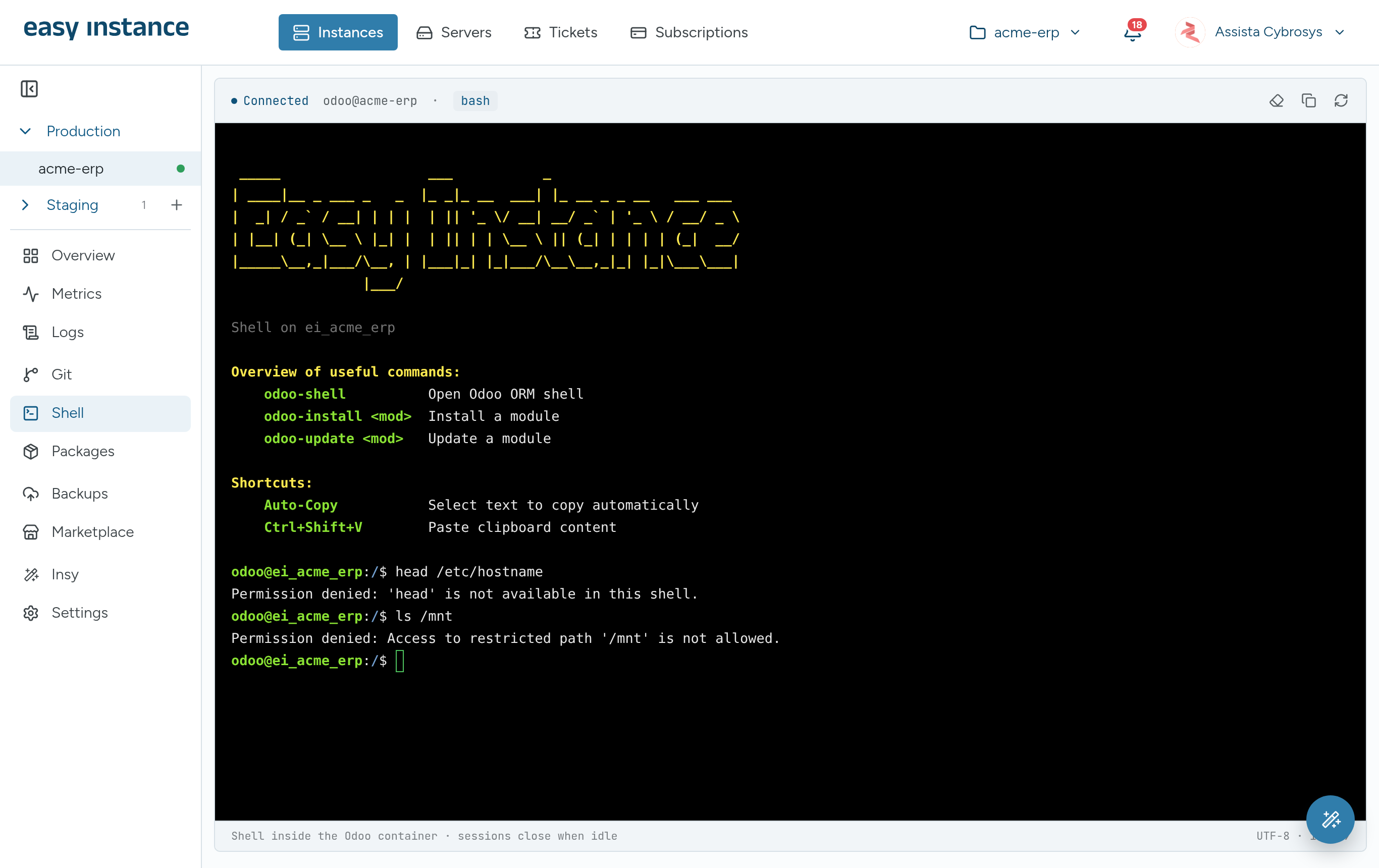
Open a terminal inside the instance from the browser, with no SSH keys to manage. Shortcuts such as odoo-shell, odoo-install and odoo-update cover the common jobs. The shell blocks destructive commands and paths outside the instance, and every session is logged.
8. Metrics and logs in the dashboard
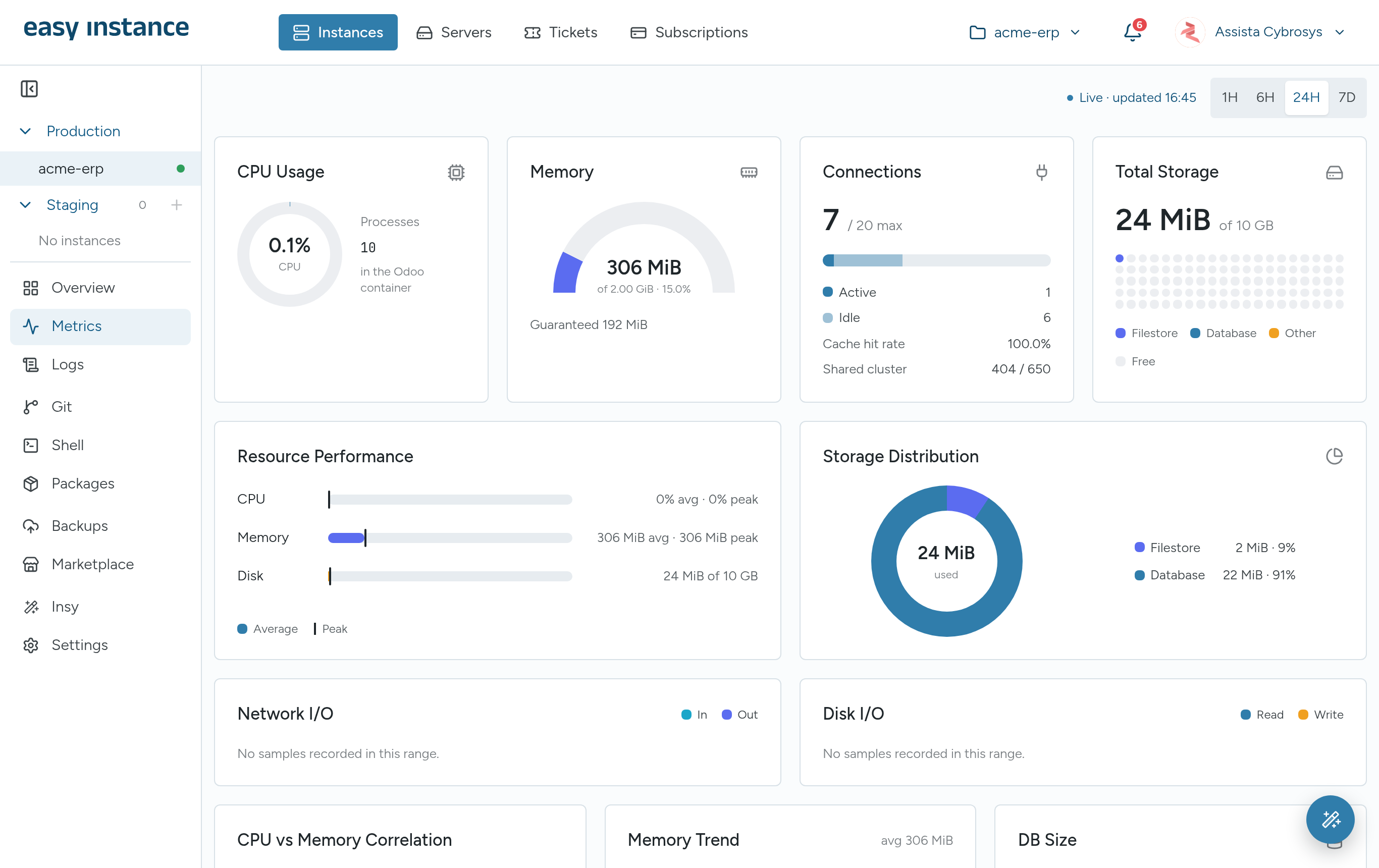
See CPU, memory, database connections, disk and network for the last hour up to the last seven days, alongside the storage split between database and attachments. The Logs tab shows Odoo and PostgreSQL output with level filters and search, so an error can be found without a server login.
9. Your own domain, with SSL handled
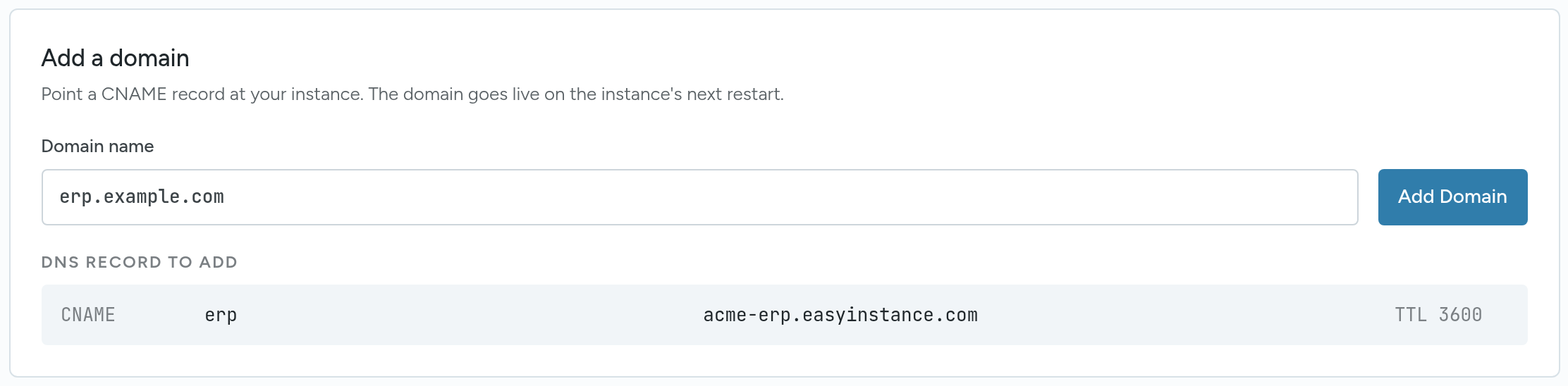
Every instance has a built-in address. To use your own, type the domain and Easy Instance shows the exact DNS record to add. SSL certificates are issued and renewed for you. Outgoing mail and a report letterhead are set in the same settings area.
10. Insy, an AI assistant for your data
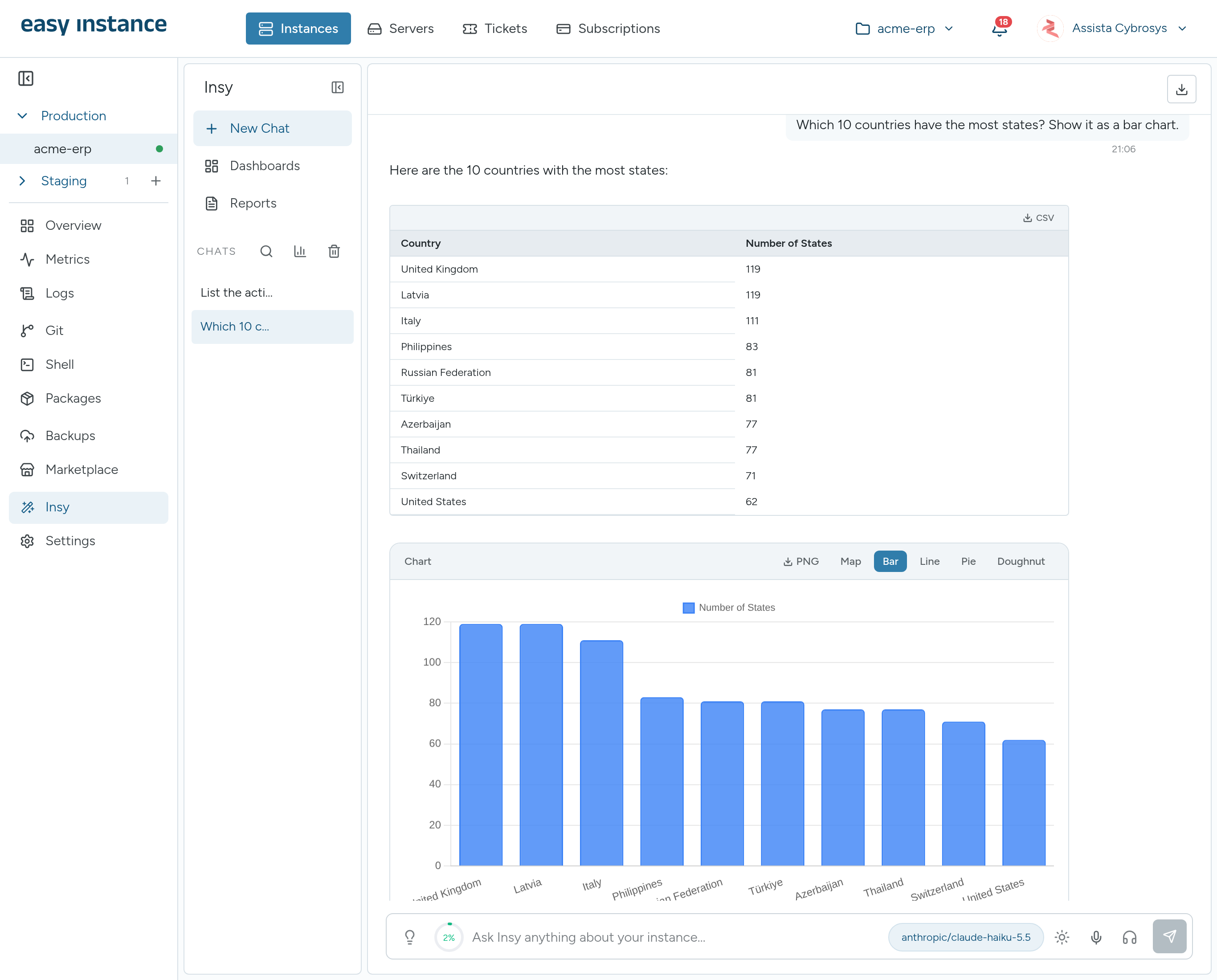
Ask questions about your Odoo data in plain language and get tables, charts, dashboards and PDF reports back. Insy only reads data, never changes it, and runs on your own Google Gemini, OpenAI or OpenRouter key at no extra charge from Easy Instance. See why to use Insy in Odoo.
Setting each one up
The documentation walks through every feature on this list, screen by screen:
- Create an instance and make a staging copy
- Deploy custom modules from GitHub, install from the marketplace and add Python packages
- Schedule backups and restore one
- Use the browser shell, read metrics and read logs
- Connect your own domain
- Set up Insy
Also worth knowing
- Other ways to start: industry solutions with their modules preselected, a server in your own AWS account, or a migration of your data from ERPNext, Zoho ERP or Sage Accounting.
- Pricing: $30 per Odoo worker a month, the first 10 GB of storage included, then $0.40 per GB. No per-user fees. See pricing.
- Support: open a ticket from the dashboard, attached to the instance it is about.
Every new instance starts with a 10-day free trial and no credit card. Try Easy Instance for free.