Three problems usually send an Odoo team looking for a new host: hosting fees that grow every time someone joins, a custom module the current platform won't run, or a server only one person knows how to fix. This guide explains where Easy Instance fits, who it suits best, and when another option is the better call.
The short version
Easy Instance is managed Odoo hosting. It runs on shared servers, on a dedicated server, or on your own server. You pick Odoo Community or Enterprise from version 16 to 20, bring your own modules from GitHub, and pay for server capacity instead of users. The server work, from updates and SSL to backups and monitoring, is done for you. If you want to compare it line by line with other hosts, see the Odoo hosting comparison.
You pay for capacity, not headcount
Pricing is based on Odoo workers, the processes that serve your users, plus storage. One worker costs $30 a month and the first 10 GB of storage is included, then $0.40 per GB. The hosting bill has no per-user part, so adding a colleague changes nothing until the instance needs another worker. If you run Enterprise, Odoo's own per-user licence still applies, as it does on any host. The Workers and storage screen shows a sizing guide next to the slider, and the monthly total before you pay.
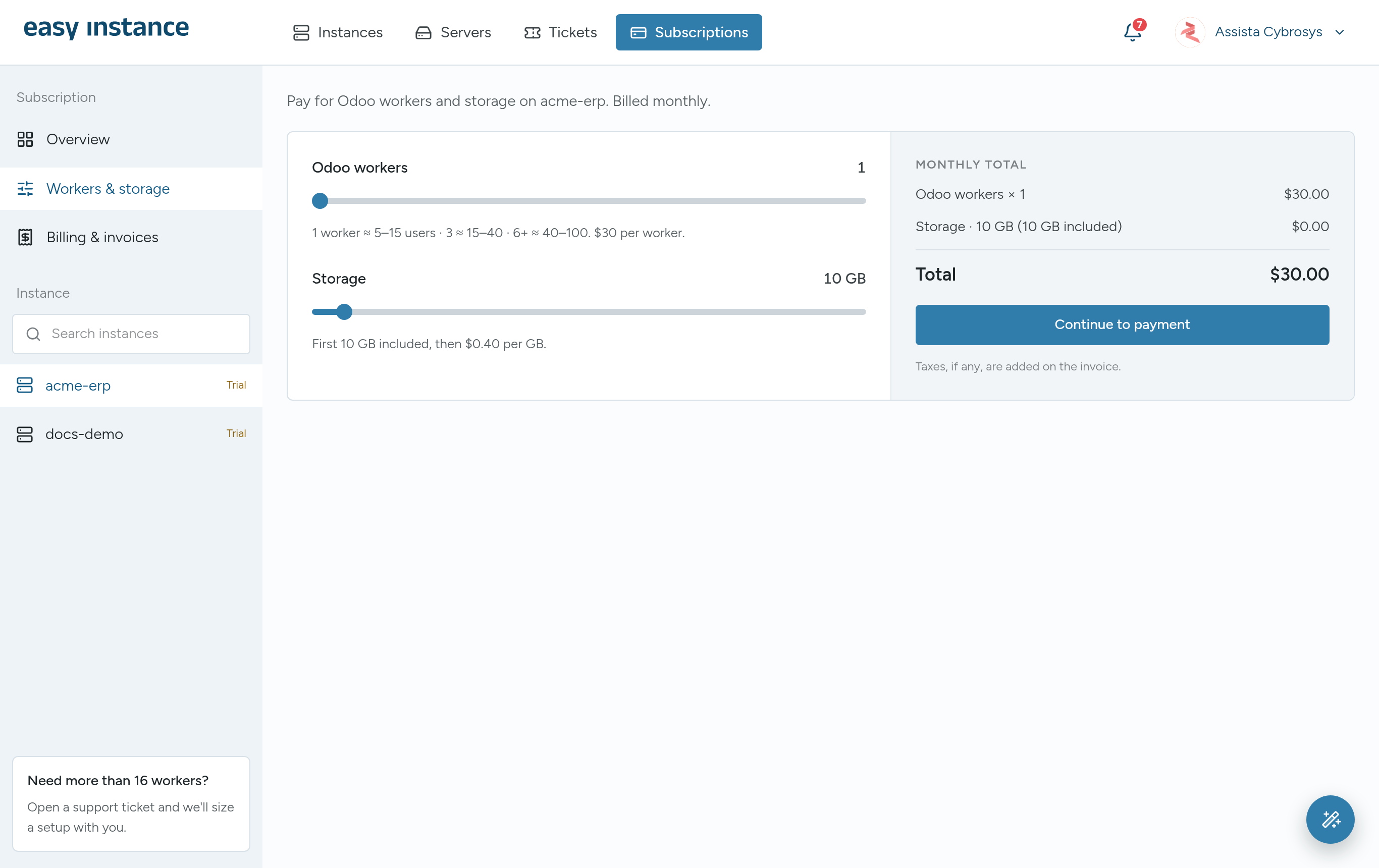
For example, the pricing page's Business preset, 4 workers and 50 GB for a team of 25 to 50 users, comes to $136 a month. Check current prices on the pricing page before you decide.
Community or Enterprise, your choice
Odoo Online and Odoo.sh run Odoo Enterprise only. Easy Instance runs both editions, so a business that is happy with Odoo Community isn't pushed into an Enterprise subscription just to get hosting. If you already have an Enterprise subscription, you can host Enterprise instead. Not sure which you need? Read Odoo Community vs Enterprise.
Your own modules, deployed from Git
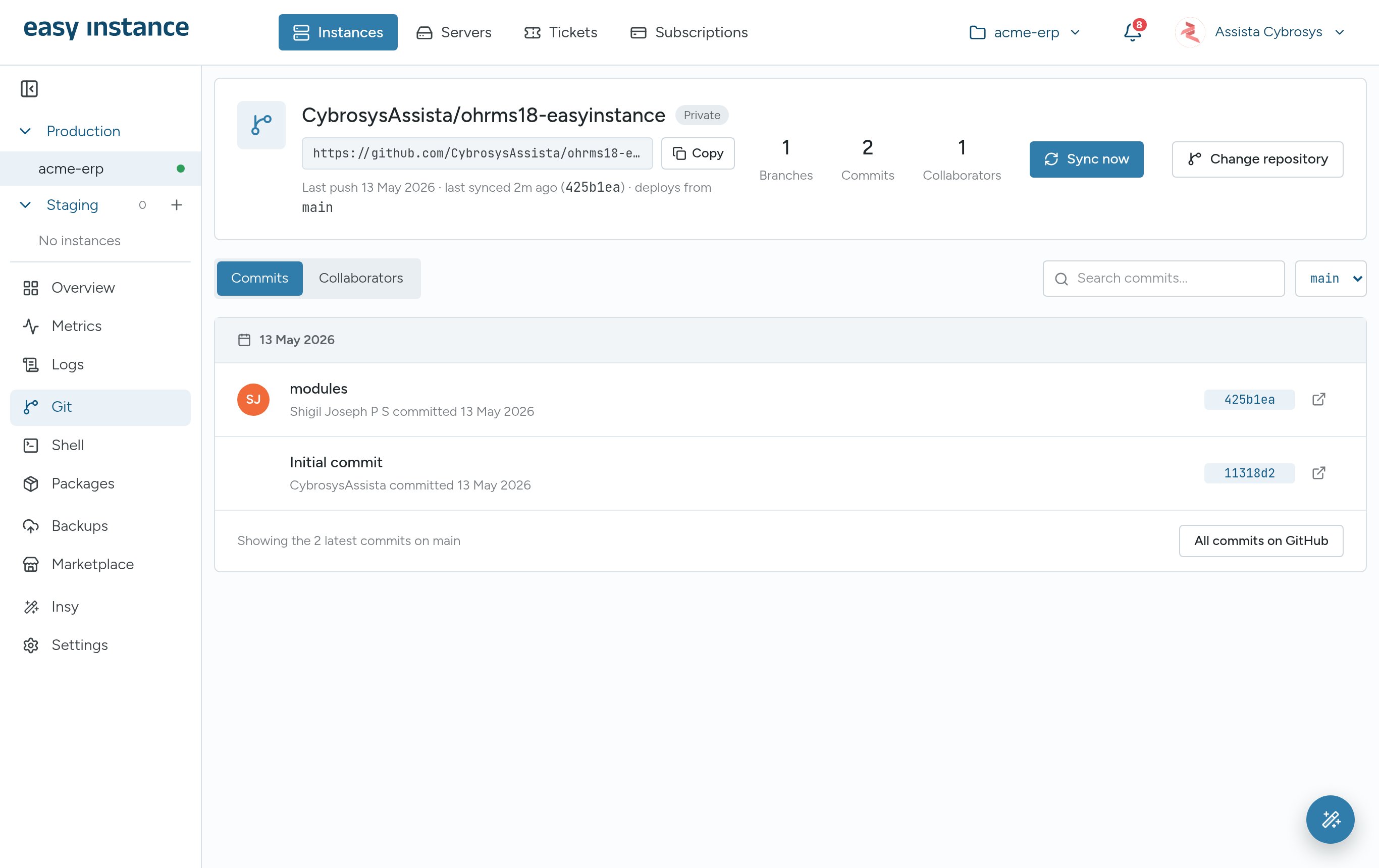
Easy Instance links an instance to a GitHub repository and branch; every push to that branch syncs the modules to the instance. There is also a built-in marketplace of Cybrosys and OCA modules, and a Packages tab for the Python libraries some modules need. You never have to copy files onto a server by hand.
Changes you can test first
A staging copy of production, with its data, takes one step to create. Try a module, an upgrade or a new branch there first. Backups run daily on Easy Instance storage, and you can send copies to your own S3, Google Drive, Dropbox, Nextcloud, SFTP or FTP storage, then download or restore any backup when you need it.
An Odoo configuration sized to your instance
A general server gives you Odoo's development defaults: one threaded process and an open database manager. Every Easy Instance instance starts with a production configuration sized to it instead: workers, memory and time limits, proxy mode and a locked database manager. Health checks restart Odoo if it stops answering, and each release pins the Odoo image to the matching Enterprise build, so a redeploy never mixes versions.
Metrics, logs and a shell in the dashboard
You never need to log in to a server. The dashboard shows live and historical CPU, memory and storage, Odoo and PostgreSQL logs, and a browser shell with Odoo shortcuts for the times a developer needs it. When something isn't right, support tickets are opened from the same dashboard, linked to the instance.
Answers from your data, built in
Every instance includes Insy, an AI assistant that answers questions about your Odoo data in plain language, with tables, charts, dashboards and PDF reports. It reads data only and runs on your own AI provider key, at no extra charge from Easy Instance. More in why use Insy in Odoo.
Start where you are
- New to Odoo: deploy a clean instance, or one with an industry solution's modules preselected.
- Moving from another system: migrate your data from ERPNext, Zoho ERP or Sage Accounting into a new Odoo instance. Your old system is only read, never changed.
- Need your data in your own cloud: run the instance on a server in your own AWS account.
When another option fits better
- If you only need standard Odoo apps, no custom code, and a handful of users, Odoo's own Odoo Online can be the simplest start.
- If your company must run everything on its own hardware, with its own IT team, self-hosting gives you full control, at the cost of doing the server work yourself.
- If your data must stay in a specific country, note that shared, self-serve instances run in Falkenstein, Germany. For another location you need a dedicated server in a Hetzner or AWS region, with flexible pricing, or your own server. Our guide on how to host Odoo covers what that involves.
Try it on your own data
Every new instance starts with a 10-day free trial, with no credit card: 1 vCPU, 2 GB RAM and 10 GB storage, with SSL, daily backups, monitoring and Insy included. Start your free trial.